



Millions of Americans use screen readers, keyboard navigation, captions, or screen magnification to get online. When a website isn't built with them in mind, they leave, and the business rarely finds out why. Organizations selling to enterprise clients or operating ecommerce platforms that fall short of ADA (Americans with Disabilities Act) requirements and WCAG (Web Content Accessibility Guidelines) standards face lost customers and growing legal exposure.
In 2024, more than 4,000 website accessibility lawsuits were filed in U.S. federal and state courts, with New York and Florida leading. Understanding how ADA regulations and WCAG accessibility guidelines apply to modern websites helps organizations reduce risk and build digital experiences that work for everyone, including the customers they were never designed for.
Understanding ADA Website Accessibility
Organizations across government, healthcare, education, and digital platforms are increasingly expected to ensure their websites are accessible to people with disabilities. Accessibility standards such as Web Content Accessibility Guidelines (WCAG) help define how digital content should be designed so users can perceive, operate, understand, and interact with online systems.
Accessibility Compliance Guide
What Is the ADA and How Does It Relate to Websites?
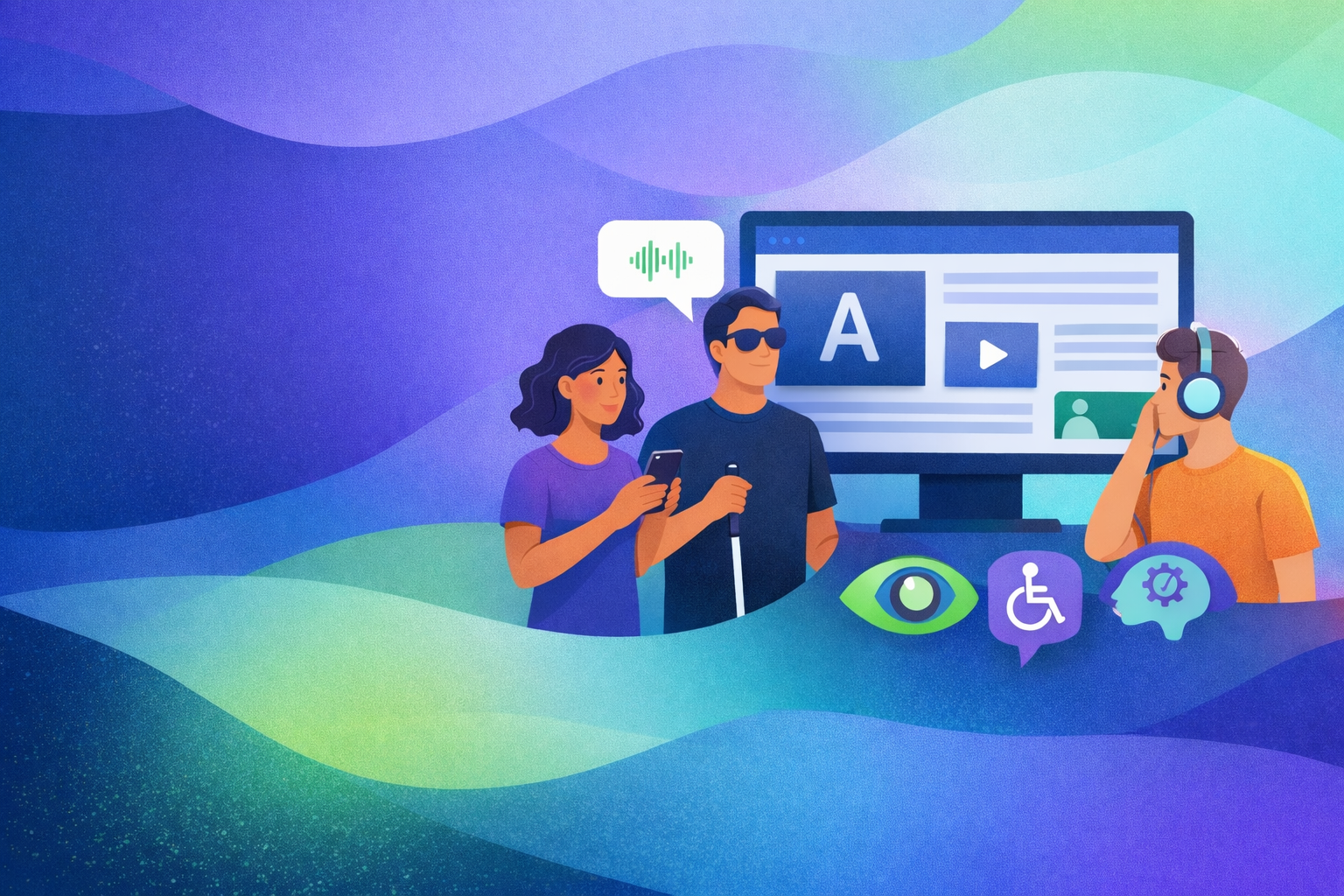
The Americans with Disabilities Act, passed in 1990, is a civil rights law that protects individuals with disabilities from discrimination in public life. It covers areas such as employment, transportation, education, and places of public accommodation.
While the ADA was written before the modern internet, courts and the U.S. Department of Justice have increasingly interpreted it to apply to websites and digital services that are open to the public. In practice, this means businesses are expected to ensure that people with vision, hearing, mobility, and cognitive impairments can access and use their digital platforms.
Many business owners assume that using platforms like Shopify, WordPress, Magento, Wix, Squarespace, or Webflow automatically makes their site compliant. Unfortunately, that is not the case. Accessibility requires intentional design, proper semantic structure, keyboard operability, screen reader compatibility, and ongoing maintenance. No platform guarantees accessibility without manual oversight and implementation.
Accessibility is not only about compliance. When websites follow the Web Content Accessibility Guidelines (WCAG), they become easier to navigate, easier to understand, and more usable for a wider range of people. This leads to clearer user journeys, stronger trust, and more consistent engagement.
An accessibility audit is often the first step. It helps identify barriers early, before they impact usability, and creates a path toward a more inclusive experience that supports how people actually interact with your product.
The Four Principles
of Accessible Design
Imagine entering a library where the lights are too dim to read, the doors are too narrow to enter, and the signs are written in a language you cannot understand. For many people with disabilities, navigating the web can feel the same way.
The Web Content Accessibility Guidelines (WCAG) provide a framework to prevent these barriers. At the heart of WCAG are four principles that define accessible digital experiences: Perceivable, Operable, Understandable, and Robust, often referred to as POUR.
1
Perceivable
Information and interface elements must be presented in ways users can perceive.
Users should be able to access content whether they rely on sight, hearing, or assistive technologies such as screen readers.
Examples
• Text alternatives for images
• Captions and transcripts for audio and video
• Sufficient color contrast
• Content that adapts to different screen sizes and formats
2
Operable
Users must be able to navigate and interact with your interface regardless of how they access it.
A website should work for people who use keyboards, voice commands, assistive devices, or other input methods.
Examples
• Full keyboard navigation
• Clear focus indicators
• Logical navigation structure
• Interfaces that avoid flashing or seizure-triggering content
3
Understandable
Content and functionality must be clear, predictable, and easy to use.
Users should quickly understand what actions to take and what happens when they interact with your interface.
Examples
• Plain and readable language
• Consistent navigation and layouts
• Helpful form instructions and error messages
• Predictable behavior across pages and components
4
Robust
Content must be built in a way that works reliably across browsers, devices, and assistive technologies.
Robust digital experiences are future-ready and compatible with evolving technologies.
Examples
• Semantic HTML structure
• Clean, standards-aligned code
• Compatibility with screen readers and assistive tools
• Consistent performance across modern browsers and devices
Why FOUR Matters
Following the POUR principles does more than meet accessibility standards.
It helps organizations reach more users, and deliver digital experiences that work for everyone.
At RIV, accessibility audits and testing are guided by these principles to identify barriers and create practical solutions that improve both compliance and usability.
The Growing Legal Risk of Inaccessible Websites
3,948
Website accessibility lawsuits were filed in the United States last year alone. Courts increasingly treat websites as part of a company’s public services, meaning inaccessible digital experiences can quickly become legal cases.
10,000+
Estimated accessibility demand letters are sent to businesses each year. Most never become public lawsuits because companies often settle quickly to avoid litigation costs and reputational damage.
10×
Over the past decade, website accessibility lawsuits have increased more than tenfold. As digital services become essential for banking, education, and healthcare, expectations for digital accessibility continue to rise.
RIV helps organizations address these risks proactively through comprehensive accessibility audits that go far beyond surface level testing. Our evaluations examine third party integrations, downloadable assets such as PDFs, multimedia content including video and audio, and complete user journeys across your site or product. We also help maintain accurate Accessibility Conformance Reports and Voluntary Product Accessibility Templates so your documentation reflects the true compliance status of your platform. The result is a structured, measurable approach to accessibility that strengthens usability while removing barriers for people with disabilities.
Accessibility standards apply across a wide range of digital platforms including websites, web applications, ecommerce systems, and downloadable documents such as PDFs.
Many organizations focus only on website design while overlooking accessibility barriers in forms, checkout processes, media content, or document downloads.
RIV provides expert accessibility audits and remediation for websites built on today’s leading platforms, including Shopify, WordPress, Squarespace, Wix, WooCommerce, Magento, Webflow, and BigCommerce. Whether your site is template-based, custom-developed, or mid-scale app, we identify and resolve accessibility barriers directly within your platform’s structure and code.
Accessibility Across Platforms

Common Accessibility Barriers Found in Websites
Many accessibility issues are not the result of intentional design decisions. They often emerge gradually as websites evolve through redesigns, new content, third party integrations, and changing user journeys. Over time these small gaps can create significant barriers for people who rely on assistive technologies such as screen readers, keyboard navigation, or alternative input devices.
Accessibility standards like WCAG help identify these barriers and provide guidance on how digital content should be structured so that users can perceive, operate, understand, and interact with websites effectively. Below are several of the most common accessibility issues found during professional accessibility audits.
Missing Alternative Text for Images
Images that do not include alternative text prevent screen reader users from understanding their meaning or purpose. Alternative text describes the content or function of an image so that assistive technologies can communicate the same information to users who cannot see it. When alt text is missing, essential information such as product details, charts, or navigation cues may become inaccessible.
Poor Color
Contrast
Color contrast plays a critical role in readability. When the contrast between text and background colors is too low, users with low vision, color blindness, or visual impairments may struggle to read the content. WCAG defines specific contrast ratios that help ensure text remains legible across a wide range of visual conditions and devices.
Forms Without Proper Labels
Online forms are essential for many digital interactions, including account registration, checkout processes, and contact submissions. When form fields are not properly labeled, screen readers cannot accurately communicate the purpose of each field to the user. This can make it difficult or impossible to complete tasks such as submitting an inquiry or purchasing a product.
Videos Without Captions or Transcripts
Video and audio content must be accessible to users who are deaf or hard of hearing. Captions provide a synchronized text version of spoken dialogue and important audio cues, while transcripts offer a full written record of the content. Without these features, large portions of multimedia content may be inaccessible to a significant portion of the audience.
Keyboard Navigation Issues
Many users navigate websites using only a keyboard rather than a mouse. This includes people with mobility impairments as well as screen reader users. If interactive elements such as menus, buttons, or forms cannot be reached using the keyboard, these users may be unable to access key parts of the site. Proper focus order and keyboard operability are essential for accessible navigation.
Accessibility audits help identify these barriers across websites, web applications, ecommerce platforms, and digital documents. By evaluating digital experiences against WCAG standards, organizations can better understand where accessibility gaps exist and how they can be addressed through structured remediation efforts.
RIV Accessibility Compliance Process
1. Scope
We review your site structure, templates, and key user flows to define the accessibility testing scope and identify high risk areas.
2. Audit
We conduct automated scans and manual testing to identify accessibility barriers across your site.
3. Report
Findings are documented in a WCAG aligned report with issue descriptions, severity levels, and remediation guidance.
4. Remediate
Your team can resolve issues using the report, or RIV can support implementation and remediation directly.
5. Monitor
We help maintain accessibility through periodic re testing and ongoing monitoring as your site evolves.
RIV follows a clear process to help organizations identify accessibility issues, resolve them, and maintain compliance over time. Our approach is built on expert manual testing, supported by automated tooling where it is reliable, to support sustainable WCAG 2.2 Level AA conformance..

Federal Tax Credits for Accessibility Improvements
You may be eligible for an IRS tax credit of up to $5,000 to offset the cost of accessibility remediation. Explore eligibility details at https://www.ada.gov/taxcred.htm
Accessibility Services
for ADA Compliance

Accessibility Audits
RIV conducts a comprehensive review of your website using automated scans and expert manual testing to uncover accessibility barriers such as low color contrast, missing alternative text, and navigation issues, delivering a clear roadmap toward ADA and WCAG alignment.

Accessibility Remediation
Our team works with your developers to resolve accessibility barriers, strengthen keyboard navigation, improve screen reader compatibility, and close WCAG 2.1 and 2.2 compliance gaps.

ACR and VPAT
We produce Accessibility Conformance Reports (ACRs) and Voluntary Product Accessibility Templates (VPAT) documentation that clearly document how your digital product aligns with accessibility standards, supporting procurement requirements and transparency for partners and buyers.

Training and Education
RIV equips your staff with practical accessibility guidance, tools, and governance strategies to maintain long-term compliance and build an inclusive digital culture.
Technical Support for
ADA Web Litigation
When a client receives an ADA demand letter or is working toward a settlement, counsel needs three answers: what is actually wrong with the website, what it will take to fix, and whether the fixes hold up. RIV provides the independent technical assessment behind those decisions.
Our findings are written for attorneys as well as developers, so they can be used directly in response strategy and settlement terms.
1
Demand Letter
Response Assessment
A focused technical review of the website or app named in the demand letter. We test the specific barriers the letter alleges, and we test against the standard it cites, typically WCAG 2.1 AA.
What you receive
Findings for each allegation: confirmed, not reproduced, or already resolved
Additional barriers a plaintiff's expert would likely find
Severity rating and estimated remediation effort for each issue
A plain-language summary counsel can use to shape the response
2
Settlement Compliance
Verification
Independent testing that confirms the remediation required by a settlement agreement or consent decree has been completed. We measure against the standard and scope the agreement specifies.
What you receive
A retest of every item within the settlement scope
A findings report with evidence: screenshots, test steps, and the assistive technology used
A signed, dated written attestation of results, prepared for counsel to file or submit
A clear list of any items still open before the compliance deadline
Technical Assessment, Not Legal Advice
RIV Collective is an accessibility audit firm, not a law firm. Our work is technical testing and assessment. We do not provide legal advice, legal opinions, or representation, and nothing in our reports should be read as such. Legal strategy stays with counsel.
The Demand Letter Response Assessment fee is credited toward a full accessibility audit, so work done under deadline is not wasted if your client moves on to full remediation.
Frequently Asked Questions
-
No one expects it until it happens, a demand letter or federal lawsuit lands in your inbox.
The most practical step is ensure your website aligns with WCAG standards and provides an accessible experience for people with disabilities. Identifying and fixing barriers early can significantly reduce legal risk while improving usability for all users.
Contact us to schedule your ADA website accessibility audit and take the first step toward stronger compliance.
-
“Surf-by” lawsuits, where websites are scanned and challenged for accessibility barriers, continue to rise. If you are facing legal action, it is important to consult an attorney experienced in ADA and accessibility-related cases. We can provide recommendations for legal professionals familiar with this area.
At the same time, legal representation alone is not enough. Your website must be evaluated and remediated to address underlying accessibility issues and demonstrate meaningful progress toward compliance.
-
An accessible website is one that provides equal access to people with disabilities, ensuring users can perceive, navigate, and interact with your content without barriers. If you operate an e-commerce platform, service site, or informational website, accessibility should be a core requirement, not an afterthought.
In practice, compliance typically means aligning your website with WCAG 2.0 or higher standards, the technical framework most commonly referenced in ADA-related cases. While achieving conformance is absolutely attainable, it requires careful auditing, thoughtful remediation, and ongoing oversight.
Contact us to schedule your ADA website accessibility audit and identify where your site stands today.
For official DOJ guidance on web accessibility, visit: www.ada.gov.
-
An ADA compliance process is a structured approach to making your website accessible and aligned with recognized accessibility standards. It is not a one-time fix. Accessibility takes ongoing work: training, testing new releases, and fixing regressions.
A well-executed process makes your site usable for more people and gives you a dated record of what was tested and fixed. Accessibility becomes part of how your organization operates, not just a reaction to risk.
At RIV, our compliance plan follows a clear, step-by-step remediation framework:
Sign up for our consultation
We conduct a comprehensive accessibility audit of your website
Code-level remediation and accessibility repair
Deploy updated theme and structural improvements
Provide website accessibility training for your team
Draft your accessibility statement and documentation
We review your website, assess your risk level, and provide a tailored compliance plan designed around your platform, goals, and operational needs.
-
If you operate a public-facing business or organization, you are ultimately responsible for ensuring your website and digital services are accessible under the Americans with Disabilities Act.
Violations often occur unintentionally, especially when accessibility is overlooked during design or development. However, lack of intent does not remove responsibility. Business owners and organizations are expected to take reasonable steps to prevent barriers and address issues when they arise.
Understanding your obligations and proactively evaluating your website can significantly reduce risk. Accessibility is not just a legal safeguard, it is a leadership decision that protects your organization while ensuring equal access for all users.
-
Many small business owners assume ADA website compliance only applies to large corporations. In reality, accessibility obligations are not limited by company size. If your business serves the public online, your website is expected to be accessible.
ADA-related lawsuits have been filed against organizations of all sizes, including small and mid-sized businesses. Legal action can be costly, disruptive, and damaging to your reputation.
Proactive accessibility is often far more affordable than reactive remediation. Ensuring your website is accessible protects your business while expanding your reach to more customers.
-
Websites that are not accessible may face legal exposure under the Americans with Disabilities Act. This can include demand letters, individual lawsuits, or class actions alleging digital discrimination. Even when violations are unintentional, businesses may still be required to remediate their sites and cover legal expenses.
Addressing accessibility proactively is often far less costly than responding to legal action after the fact. A structured audit and remediation plan can demonstrate good-faith efforts toward compliance and reduce overall risk.
There have also been legislative efforts, such as the proposed Online Accessibility Act introduced in Congress, aimed at clarifying digital accessibility standards. While laws continue to evolve, the expectation that public-facing websites provide accessible experiences remains consistent.
-
Here’s a refined, original version aligned with RIV’s tone and positioning:
What Is WCAG?
An estimated 15 percent of the global population lives with a disability that can impact how they access digital content, including browsing websites, completing forms, or shopping online. Ensuring accessibility is not optional for modern businesses, it is essential.
The Web Content Accessibility Guidelines, known as WCAG, were developed by the World Wide Web Consortium as an international technical framework for making digital content accessible. These guidelines outline measurable standards for structure, usability, visual presentation, and assistive technology compatibility.
WCAG 2.2 builds on earlier versions and expands guidance to improve accessibility for a broader range of users, including those with cognitive, mobility, and low-vision needs.
When businesses pursue ADA website compliance, they typically align their websites with WCAG standards. While the ADA is the governing civil rights law in the United States, WCAG provides the technical benchmark courts and regulators commonly reference when evaluating digital accessibility.
-
Testing your website for accessibility requires more than a quick automated scan. A combination of tools, manual review, and real-world testing provides a clearer picture of compliance.
1. Automated Testing Tools
Browser extensions such as WAVE by WebAIM and built-in tools like Google Lighthouse can help identify common accessibility issues. These tools are useful starting points, but they do not catch everything.2. Screen Reader Testing
Screen readers allow users who are blind or have low vision to navigate and consume digital content. Proper alt text, semantic structure, ARIA labeling, and meaningful headings are essential for compatibility.3. Keyboard Navigation
Your website should be fully operable using only a keyboard. Logical focus order, visible focus indicators, and accessible menus ensure users with mobility impairments can navigate effectively.4. Captions and Media Accessibility
Video and audio content should include accurate closed captions and transcripts to support users who are deaf or hard of hearing.5. Text Resizing and Zoom
Users should be able to increase text size up to 200 percent without losing functionality or content clarity. Responsive design and flexible layouts are key.6. Color Contrast
Text and interactive elements should meet a minimum contrast ratio of 4.5:1 for normal text, as defined by WCAG. Designers can use contrast-checking tools to evaluate and correct issues.Automated overlays and widgets may address limited surface-level issues, but sustainable ADA compliance requires structured auditing and code-level remediation.
If you would like a comprehensive evaluation beyond basic testing tools, contact us to schedule your free accessibility audit.
-
When people refer to ADA website standards, they are typically referencing the Web Content Accessibility Guidelines (WCAG). These guidelines are built around four foundational principles: Perceivable, Operable, Understandable, and Robust. Together, they define what makes a digital experience accessible.
Below is a high-level overview. For full technical guidance, refer to WCAG 2.2.
1. Perceivable
Users must be able to perceive the information presented on your website.
Provide text alternatives for images and other non-text content
Include captions and transcripts for multimedia
Structure content so it can be presented in different ways without losing meaning
Ensure sufficient color contrast and adaptable layouts so users can see and hear content clearly
2. Operable
Users must be able to navigate and interact with your website.
Make all functionality accessible via keyboard
Provide users enough time to read and complete tasks
Avoid flashing or animated content that could trigger seizures
Use clear navigation, headings, and landmarks to help users find information easily
3. Understandable
Users must be able to comprehend the content and interface.
Use clear, readable language
Maintain consistent and predictable navigation patterns
Provide helpful error messages and instructions for forms
Help users identify and correct mistakes
4. Robust
Your website must work reliably with current and future technologies.
Ensure compatibility with screen readers and assistive technologies
Use proper semantic markup and clean code
Follow standards-based development practices
Accessibility is not just a checklist. It is a structured framework that improves usability, reduces legal risk, and creates a more inclusive digital experience.
-
ADA, Section 508, and WCAG are closely related but serve different roles in digital accessibility.
The Americans with Disabilities Act (ADA) is a U.S. civil rights law that prohibits discrimination against individuals with disabilities. Although the law was written before the modern internet, courts and the Department of Justice increasingly interpret it to include websites, digital platforms, and online services. Organizations whose digital experiences are not accessible may face legal complaints or lawsuits under the ADA.
Section 508 is a federal law that applies specifically to U.S. government agencies and organizations that work with the federal government. It requires federal websites, software, and digital documents to be accessible to people with disabilities. If a company sells digital products or services to federal agencies, those products typically must meet Section 508 requirements.
WCAG, or the Web Content Accessibility Guidelines, is the international technical standard used to measure digital accessibility. WCAG provides detailed criteria for making websites and digital content accessible to people with disabilities. Most accessibility laws and regulations, including Section 508 and many ADA settlements, rely on WCAG standards such as WCAG 2.1 or WCAG 2.2 as the benchmark for compliance.
In simple terms, ADA and Section 508 are laws, while WCAG is the technical standard used to evaluate accessibility. Organizations typically use WCAG guidelines when performing accessibility audits or remediation work to demonstrate that their digital experiences meet recognized accessibility requirements.
Understand Your Website’s Accessibility Risks
Share a few details about your product and the services you’re interested in and we will get back to within 24-48 hours.